
Twitter Fonts
X/Twitter renders plain Unicode text in bios and posts the same as any other platform, so this generator lets you style your bio or a post without any browser extension or app.
Wide / Aesthetic is one of the most common bio styles on the platform; Bold Italic and Small Caps work well for shorter post text.
Wide / Aesthetic13 characters
Twitter Fonts
Bold Italic13 characters
𝑻𝒘𝒊𝒕𝒕𝒆𝒓 𝑭𝒐𝒏𝒕𝒔
Small Caps13 characters
ᴛᴡɪᴛᴛᴇʀ ꜰᴏɴᴛꜱ
Bubble13 characters
Ⓣⓦⓘⓣⓣⓔⓡ Ⓕⓞⓝⓣⓢ
How It Works
Type your text, tap Copy on the style you like, then paste it anywhere — it's plain Unicode text, so it works everywhere. See the full walkthrough with screenshots.
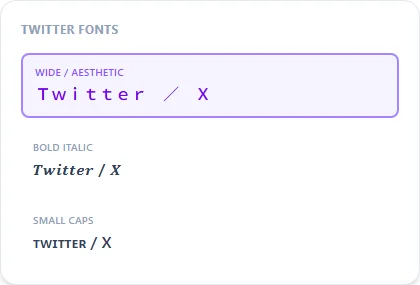
No extension needed — it's just Unicode text
Some browser extensions claim to change your 'Twitter font,' but the underlying trick is always the same plain-text Unicode substitution this generator produces directly, with nothing to install. Copy the styled result and paste it straight into your bio or a post the same way you'd paste any other text.
Bio styling vs. post styling
Wide / Aesthetic is the most common choice for a bio line, since it reads as more decorative without sacrificing legibility at a glance. For a post itself, Bold Italic or Small Caps hold up better within a single tweet's length limit than a wider-spaced style.
Frequently Asked Questions
Will styled text count differently toward the character limit?
+
Each styled character still counts as one character the same as plain text, so it doesn't change how much of your limit a post uses.
Does this work the same on both twitter.com and x.com?
+
Yes, it's the same underlying platform and the same plain Unicode text support either way.
Can I style my display name as well as my bio?
+
Yes, your display name (separate from your @handle) accepts the same styled Unicode text as your bio and posts.
Is styled text searchable in X/Twitter search?
+
No, search matches on literal plain-text characters, so keep your handle and any keywords you want to be found by in plain text.