
Facebook Fonts
Facebook renders whatever Unicode text you paste into a post, comment, or bio field, so this generator is a direct way to make a post stand out from Facebook's default font.
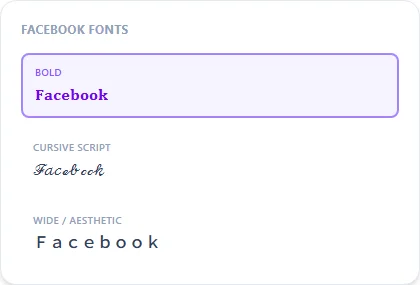
Bold and Cursive Script are the most commonly used styles on Facebook; Wide / Aesthetic works well for a post that wants a more decorative feel.
Bold14 characters
𝐅𝐚𝐜𝐞𝐛𝐨𝐨𝐤 𝐅𝐨𝐧𝐭𝐬
Cursive Script14 characters
ℱ𝒶𝒸ℯ𝒷ℴℴ𝓀 ℱℴ𝓃𝓉𝓈
Wide / Aesthetic14 characters
Facebook Fonts
Small Caps14 characters
ꜰᴀᴄᴇʙᴏᴏᴋ ꜰᴏɴᴛꜱ
How It Works
Type your text, tap Copy on the style you like, then paste it anywhere — it's plain Unicode text, so it works everywhere. See the full walkthrough with screenshots.
Standing out in a text-heavy Facebook feed
Facebook's News Feed is dominated by plain-text posts using the platform's default system font, so a styled headline or opening line is one of the simplest ways to make a post pause someone's scroll. Because the output is real Unicode rather than an image, it stays fully searchable and copyable for anyone who wants to share or quote it.
Bio, posts, and comments all accept the same styled text
Anywhere Facebook accepts free text, including your About section, a status update, a comment, or a group discussion, takes styled Unicode the same way. Your actual profile name has its own separate rules and is best kept in plain text for search purposes.
Frequently Asked Questions
Will fancy fonts work in Facebook comments and groups?
+
Yes — the same styled text pastes the same way into posts, comments, group discussions, and your bio.
Does a fancy font affect being found in Facebook search?
+
Keep your actual name in plain text since Facebook search matches on literal characters — reserve styled fonts for post content and bio text.
Which style works best for a Facebook Page announcement?
+
Bold is the most reliable for grabbing attention in a feed; Wide / Aesthetic suits a softer, more decorative announcement.
Can I use fancy fonts in a Facebook Marketplace listing?
+
Yes, styled text pastes into listing titles and descriptions the same as any other text field, though keep key details in plain text so buyers can search for them easily.