
Big Text Generator
Plain text can't actually change point size once it's pasted somewhere else, so "big font" really means text that reads as bigger and heavier than the default: bold weight, wide letter spacing, or both.
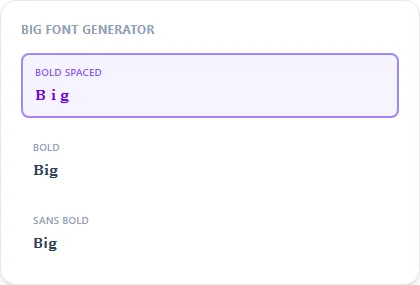
Bold Spaced combines Unicode bold characters with extra spacing between letters for the strongest big-text effect; plain Bold and Squared are good fallbacks where spacing looks awkward.
Bold Spaced15 characters
𝐁 𝐢 𝐠 𝐓 𝐞 𝐱 𝐭
Bold8 characters
𝐁𝐢𝐠 𝐓𝐞𝐱𝐭
Sans Bold8 characters
𝗕𝗶𝗴 𝗧𝗲𝘅𝘁
Squared8 characters
🄱🄸🄶 🅃🄴🅇🅃
Bubble Filled8 characters
🅑🅘🅖 🅣🅔🅧🅣
How It Works
Type your text, tap Copy on the style you like, then paste it anywhere — it's plain Unicode text, so it works everywhere. See the full walkthrough with screenshots.
Why plain text can't change point size
Font size is a display setting controlled by whatever app or website renders your text, not something encoded in the characters themselves. Pasting 'bigger' characters into a fixed-size bio field won't make the field itself grow. What this generator can do is make your text visually heavier and wider at the same size, using bold Unicode characters and extra letter-spacing to create the impression of bigger text.
Bold Spaced vs. plain Bold
Bold Spaced adds a visible gap between each letter on top of the bold weight, which reads as noticeably bigger in a bio or title line but takes up more characters. Plain Bold and Squared give a similar heavy feel without the extra spacing, useful where a field's character limit is tighter.
Frequently Asked Questions
Can this actually change my font's point size?
+
No, nothing pasted as plain text can change size on its own. These styles use bold, wide, and blocky Unicode characters that read as bigger without changing the actual font size setting.
Which style looks biggest in a Discord or Instagram bio?
+
Bold Spaced tends to dominate a line the most; Squared and Bubble Filled are good alternatives if spacing looks too wide for the field.
Does Bold Spaced use more characters than plain Bold?
+
Yes — the added spaces between letters count toward any character limit, so check the limit on tighter fields like a Discord nickname before using it.
Is there a way to make text physically larger than the platform's default?
+
Only if the platform itself supports a font-size setting for that field — most social bios and usernames don't, which is exactly why this style trick exists.