
Meme Font Generator
Meme text covers two genuinely different formats: the alternating-case "mocking SpongeBob" style, and bold heavy caps in the spirit of classic Impact-font image macros.
Mocking Case is the sarcasm-format meme text; Sans Bold gives a bold, blocky caps look closer to traditional meme-image text.
Mocking Case9 characters
mEmE fOnT
Sans Bold9 characters
𝗠𝗲𝗺𝗲 𝗙𝗼𝗻𝘁
Bubble Filled9 characters
🅜🅔🅜🅔 🅕🅞🅝🅣
Backwards9 characters
tnoF emeM
How It Works
Type your text, tap Copy on the style you like, then paste it anywhere — it's plain Unicode text, so it works everywhere. See the full walkthrough with screenshots.
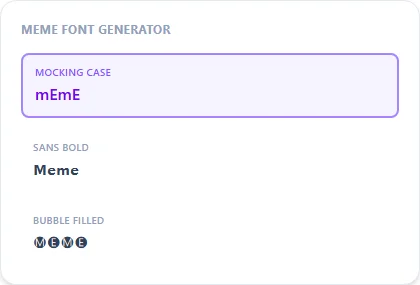
Two meme formats, two different techniques
Mocking Case is a pure text trick, alternating upper and lower case with no letterform changes, that comes directly from the 2017 SpongeBob 'mocking' meme template and is used to imply sarcasm. Sans Bold instead swaps letters for bold Unicode characters, the closest plain-text approximation of the bold blocky caps used in classic Impact-font image macros. They read as 'meme text' for entirely different reasons.
Using meme text as a comment vs. a caption
Mocking Case is built specifically as a reply format: typing a sentence back at someone in that case to imply you think it's a dumb take. Sans Bold works better as a standalone caption or overlay-style line, closer to how meme images typically present text.
Frequently Asked Questions
Is this the actual Impact font from meme images?
+
No, Impact is a licensed font file, not a Unicode block. Sans Bold is the closest plain-text stand-in for that bold, blocky meme-caption look.
What is Mocking Case exactly?
+
The aLtErNaTiNg CaSe format from the SpongeBob mocking meme — used to imply sarcasm in a comment or reply.
Can I use Mocking Case as a genuine reply, not just a joke?
+
It's specifically recognized as a sarcasm marker online, so using it outside that context may come across as mocking even if that's not the intent — worth keeping in mind before posting.
Does Backwards count as a meme format too?
+
It's less strongly associated with one specific meme than Mocking Case, but it's commonly used for the same kind of playful, attention-grabbing comment.