
Italic Font Generator
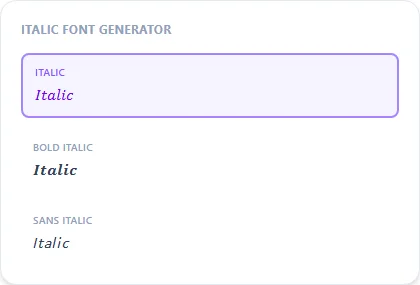
This italic font generator produces genuinely slanted Unicode characters rather than a CSS italic tag, so the style survives copy-paste into places that strip formatting.
Four italic variants are available: regular, bold, sans-serif, and sans-serif bold. Pick whichever matches the rest of your text.
Italic11 characters
𝐼𝑡𝑎𝑙𝑖𝑐 𝐹𝑜𝑛𝑡
Bold Italic11 characters
𝑰𝒕𝒂𝒍𝒊𝒄 𝑭𝒐𝒏𝒕
Sans Italic11 characters
𝘐𝘵𝘢𝘭𝘪𝘤 𝘍𝘰𝘯𝘵
Sans Bold Italic11 characters
𝙄𝙩𝙖𝙡𝙞𝙘 𝙁𝙤𝙣𝙩
How It Works
Type your text, tap Copy on the style you like, then paste it anywhere — it's plain Unicode text, so it works everywhere. See the full walkthrough with screenshots.
Real slanted characters, not a CSS style
Ctrl+I or an HTML <i> tag only tilts text visually within an app that supports rich formatting. Paste it into a plain-text field and the slant disappears. This generator instead uses Unicode's Mathematical Italic block, where each letter is its own genuinely slanted character. There's no formatting attached to lose, so the italic look survives copy-paste into Instagram bios, Discord names, and anywhere else plain text goes.
Choosing regular vs. bold vs. sans italic
Plain Italic pairs well with serif-heavy text for a classic look. Sans Italic drops the serifs for something cleaner and more modern. Bold Italic and Sans Bold Italic add extra weight on top of either for a stronger, more emphasized line.
Frequently Asked Questions
What's the difference between italic and sans italic?
+
Italic uses a serif-style slanted typeface; sans italic uses a cleaner, serif-free slanted style. Both are equally supported everywhere plain Unicode text works.
Is one italic letter (h) different from the rest?
+
Yes, lowercase italic h uses a pre-existing Unicode symbol (the Planck constant character) rather than the newer block, for technical compatibility reasons. It still looks like italic h visually.
Does italic text work with numbers?
+
The Mathematical Italic block covers letters only; numbers in your text will pass through in their normal, upright form.
Can I combine italic with bold in the same word?
+
Use the Bold Italic style directly for that combined look — it's a single style rather than two effects layered manually.