
Retro Font Generator
Retro text leans on symbol framing and blocky letters rather than any specific decade's actual typeface, since no single Unicode block reproduces a 70s, 80s, or 90s font exactly.
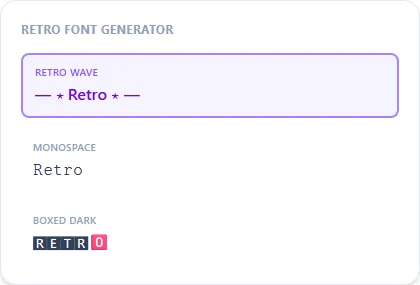
Retro Wave frames your text with a simple dash-and-star border for an easy vintage feel; Boxed Dark and Monospace give a more mechanical, arcade-era look.
Retro Wave18 characters
— ⋆ Retro Font ⋆ —
Monospace10 characters
𝚁𝚎𝚝𝚛𝚘 𝙵𝚘𝚗𝚝
Boxed Dark10 characters
🆁🅴🆃🆁🅾 🅵🅾🅽🆃
Western Banner20 characters
»–(¯`Retro Font´¯)–«
How It Works
Type your text, tap Copy on the style you like, then paste it anywhere — it's plain Unicode text, so it works everywhere. See the full walkthrough with screenshots.
One generic retro feel, not decade-accurate fonts
70s groovy lettering, 80s neon signage, and 90s arcade text are three visually distinct looks, and none of them map to a specific Unicode block. This generator doesn't try to pick one decade. Retro Wave's symbol framing and Monospace/Boxed Dark's mechanical letterforms are meant as a general vintage feel you can apply to whichever decade you actually mean.
Retro Wave, Monospace, or Boxed Dark
Retro Wave adds a dash-and-star frame around your text for the most immediately recognizable 'retro' look. Monospace leans more arcade/computer-terminal. Boxed Dark gives a heavier, more enclosed feel that works well for a throwback playlist title or mixtape caption.
Frequently Asked Questions
Does this match a specific decade's font style?
+
No, it's a general retro feel built from symbol framing and blocky Unicode characters, not a reproduction of any one decade's actual typeface.
What's the difference between Retro Wave and Western Banner?
+
Retro Wave uses a dash-and-star frame for a general vintage look; Western Banner uses a rope-and-arrow style frame that leans more cowboy/wanted-poster than generic retro.
Good for a throwback playlist or mixtape title?
+
Yes — Retro Wave or Monospace both read well for that kind of nostalgic, decade-referencing caption.
Is there a version tuned specifically for 80s neon or synthwave?
+
Not a dedicated one — pair Retro Wave with the neon font generator page's Neon Glow style for a closer synthwave-specific look.