
Small Text Generator
This small text generator turns your words into superscript-style tiny characters — letters shrunk to a fixed small size, useful for a subtitle-style aside under a caption or bio line. It's also commonly searched as a "small font."
It's different from just reducing your app's font size. This generates genuinely smaller Unicode glyphs that stay small no matter where you paste them.
Superscript10 characters
Sᵐᵃˡˡ ᵀᵉˣᵗ
Small Caps10 characters
ꜱᴍᴀʟʟ ᴛᴇxᴛ
Dotted19 characters
S·m·a·l·l· ·T·e·x·t
How It Works
Type your text, tap Copy on the style you like, then paste it anywhere — it's plain Unicode text, so it works everywhere. See the full walkthrough with screenshots.
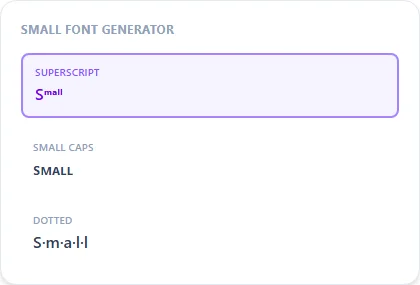
Why this stays small everywhere, unlike shrinking your app's text size
Changing your device's font size setting only affects how your own screen renders text. Anyone else viewing your bio or comment still sees it at their own normal size. Superscript characters are different: they're small by definition as Unicode characters, the same way a bold letter is bold by definition. Once pasted, the small size travels with the text to every device and every viewer.
Common uses: asides, footnotes, and quiet captions
Small text works well for a subtitle-style line under a bigger headline, a quiet aside in a caption, or a footnote-style credit line. Because it's noticeably harder to read than full-size text, it's better suited to short phrases than long paragraphs.
Frequently Asked Questions
Why do some letters not shrink in the small font style?
+
Superscript Unicode doesn't have a defined character for every letter (like q); unsupported letters fall back to normal size rather than showing the wrong glyph.
Looking for tiny/miniature text instead of small caps?
+
See the dedicated tiny text generator page — it's tuned slightly differently for maximum smallness rather than a small-caps look.
Is small text accessible to everyone?
+
It's harder to read for anyone with low vision, so avoid it for important information. It's meant for short decorative asides, not primary content.
Does small text work in a Discord or Instagram name field?
+
Yes, though very small superscript characters can be hard to read at a glance in a name field — Small Caps often reads better there than full superscript.