
Bold Text Generator
This bold text generator (also searched as a "bold font generator") produces real bold-looking characters (not HTML <b> tags), so the boldness carries over even into places that strip formatting, like Instagram bios and most bio fields.
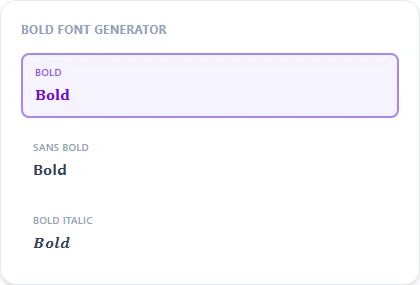
Type your text once to get several bold variants at once — plain bold, bold italic, bold sans-serif, and bold script — pick whichever fits your platform.
Bold9 characters
𝐁𝐨𝐥𝐝 𝐓𝐞𝐱𝐭
Sans Bold9 characters
𝗕𝗼𝗹𝗱 𝗧𝗲𝘅𝘁
Bold Italic9 characters
𝑩𝒐𝒍𝒅 𝑻𝒆𝒙𝒕
Sans Bold Italic9 characters
𝘽𝙤𝙡𝙙 𝙏𝙚𝙭𝙩
Bold Cursive9 characters
𝓑𝓸𝓵𝓭 𝓣𝓮𝔁𝓽
Bold Gothic9 characters
𝕭𝖔𝖑𝖉 𝕿𝖊𝖝𝖙
Double-Struck9 characters
𝔹𝕠𝕝𝕕 𝕋𝕖𝕩𝕥
How It Works
Type your text, tap Copy on the style you like, then paste it anywhere — it's plain Unicode text, so it works everywhere. See the full walkthrough with screenshots.
Why Unicode bold survives copy-paste and HTML bold doesn't
Normal bold formatting (Ctrl+B, or **text** in Markdown) is a style attribute attached to plain letters. Strip the formatting and you're left with ordinary text. This generator instead swaps each letter for a completely different Unicode character from the Mathematical Alphanumeric Symbols block that is simply drawn bold. There's no formatting to lose, which is why it stays bold in places that can't render rich text at all, like an Instagram bio or a Discord username.
Picking between the bold variants
Plain Bold reads closest to a normal bold font and is the safest default. Sans Bold drops the serifs for a cleaner, more modern look that fits tech or minimalist bios. Bold Italic and Bold Script add slant or flow on top of the same bold weight for emphasis or a more decorative feel.
Frequently Asked Questions
Why doesn't bold text paste as bold in some apps?
+
A few older apps or plain-text fields strip anything outside basic ASCII. Most social platforms keep it just fine.
What's the difference between bold and sans bold here?
+
Bold uses a serif-style bold typeface, sans bold uses a cleaner, serif-free bold — try both and see which fits your bio's overall look.
Can I make only part of my text bold?
+
Yes, select and copy just the portion of the generated text you want; the rest of your sentence can stay in plain text.
Does bold text work on numbers?
+
Yes — the Mathematical Alphanumeric block includes a bold 0-9 digit set alongside the letters, so numbers in your text come out bold too.
Is bold text good for a Discord or Instagram username?
+
Yes, plain Bold is one of the most widely used styles for usernames because it reads cleanly at small sizes and is supported everywhere Unicode text is.