
Pixel Font Generator
Nothing in plain Unicode text is literally made of pixels, but square, enclosed characters read as the closest plain-text stand-in for an 8-bit, retro-game look.
Squared gives the blockiest single-style option; Shape Shift alternates between Bubble and Squared letters for a busier, more "glitched pixel" feel.
Squared10 characters
🄿🄸🅇🄴🄻 🄵🄾🄽🅃
Shape Shift10 characters
Ⓟ🄸ⓧ🄴ⓛ Ⓕ🄾ⓝ🅃
Boxed Dark10 characters
🅿🅸🆇🅴🅻 🅵🅾🅽🆃
Blocky Symbols10 characters
ᕵᓰ᙭ᘿᒪ ᖴᓍᘉᖶ
How It Works
Type your text, tap Copy on the style you like, then paste it anywhere — it's plain Unicode text, so it works everywhere. See the full walkthrough with screenshots.
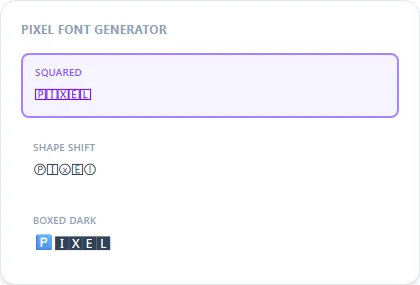
No real pixels, just blocky letterforms
A genuine pixel font is built from a fixed grid of square dots, rendered at specific sizes to avoid blurring. Unicode text has no concept of a pixel grid at all. Squared and Blocky Symbols instead use naturally angular, boxed Unicode letterforms that read as blocky and retro-game-adjacent, which is the closest a plain-text substitution can get without an actual bitmap font file.
Squared vs. Shape Shift
Squared applies one consistent blocky style across your whole text, the cleaner option for a username. Shape Shift alternates between Bubble and Squared by character position, giving a busier, more 'glitched' pixel-art feel.
Frequently Asked Questions
Is this an actual pixel font file?
+
No, it's square Unicode characters standing in for a blocky, 8-bit look, not a genuine bitmap font. For an actual pixel-art font you'd need a real font file or image editor.
Best style for a retro-game-themed username?
+
Squared is the cleanest single option; Blocky Symbols adds an even more angular, technical feel.
Where can I get a real pixel font for a game project?
+
Look for a dedicated bitmap/pixel font file (many free ones exist for game development) rather than a text generator, since those are built pixel-by-pixel at fixed sizes.
Does pixel-style text work in Discord or Steam usernames?
+
Yes, Squared and Blocky Symbols are both plain Unicode text and paste cleanly into any username field that accepts standard characters.