
3D Font Generator
Plain text can't have real depth or shading, but solid, enclosed Unicode letters read as the closest plain-text stand-in for an extruded, dimensional look.
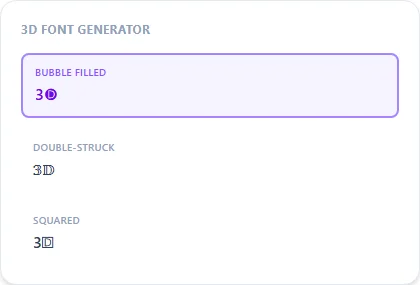
Bubble Filled gives the roundest dimensional feel; Double-Struck and Squared offer a more geometric, blocky version of the same idea.
Bubble Filled7 characters
3🅓 🅕🅞🅝🅣
Double-Struck7 characters
𝟛𝔻 𝔽𝕠𝕟𝕥
Squared7 characters
3🄳 🄵🄾🄽🅃
Boxed Dark7 characters
3🅳 🅵🅾🅽🆃
How It Works
Type your text, tap Copy on the style you like, then paste it anywhere — it's plain Unicode text, so it works everywhere. See the full walkthrough with screenshots.
What plain text can and can't fake
Real 3D text relies on shading, perspective, and an extruded side face, none of which exist in a flat Unicode character. What this generator can do is pick letter shapes that already look more solid and dimensional at a glance: filled circles, double-outlined strokes, and blocky squares all read as heavier and more three-dimensional than a thin plain letter, even though there's no actual depth being rendered.
Bubble Filled, Double-Struck, or Squared
Bubble Filled gives the roundest, most solid-looking result. Double-Struck's outlined-twice letterforms create a subtle layered effect. Squared is the most geometric and blocky of the three, closer to an isometric-block look.
Frequently Asked Questions
Does this create an actual 3D graphic?
+
No, there's no real depth, shading, or perspective here, just solid enclosed Unicode characters that read as more dimensional than plain letters. For genuine 3D text you'd need a graphics or design tool.
Which style looks most 3D?
+
Bubble Filled and Boxed Dark both read as the most solid/dimensional of the set.
Can I get real 3D text for a video or thumbnail?
+
Yes, but you'd need dedicated design or video-editing software with actual extrusion and lighting effects — this generator is limited to plain text.
Which style pairs best with a dark background?
+
Boxed Dark is built with a dark-theme background in mind and tends to hold up best there; Bubble Filled works well on lighter backgrounds too.