
Font Changer
This font changer swaps your text into a new style character-by-character, so you don't need to install anything or find an app that supports custom fonts.
It works the other direction from most 'generator' tools you've tried: paste text you already wrote, and change its font on the spot, for a bio, a caption, a username, or a document.
Because every style updates live as you type, you can compare a dozen fonts side by side before deciding which one actually fits the text you already have.
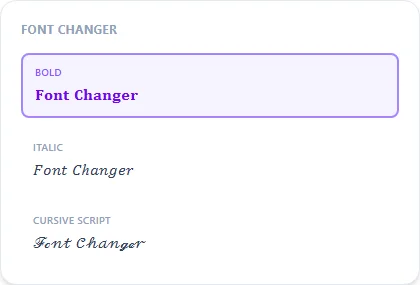
Bold12 characters
𝐅𝐨𝐧𝐭 𝐂𝐡𝐚𝐧𝐠𝐞𝐫
Italic12 characters
𝐹𝑜𝑛𝑡 𝐶ℎ𝑎𝑛𝑔𝑒𝑟
Cursive Script12 characters
ℱℴ𝓃𝓉 𝒞𝒽𝒶𝓃ℊℯ𝓇
Sans Bold12 characters
𝗙𝗼𝗻𝘁 𝗖𝗵𝗮𝗻𝗴𝗲𝗿
Double-Struck12 characters
𝔽𝕠𝕟𝕥 ℂ𝕙𝕒𝕟𝕘𝕖𝕣
Monospace12 characters
𝙵𝚘𝚗𝚝 𝙲𝚑𝚊𝚗𝚐𝚎𝚛
Small Caps12 characters
ꜰᴏɴᴛ ᴄʜᴀɴɢᴇʀ
Wide / Aesthetic12 characters
Font Changer
How It Works
Type your text, tap Copy on the style you like, then paste it anywhere — it's plain Unicode text, so it works everywhere. See the full walkthrough with screenshots.
How a font changer works, technically
Every style here is a lookup table: each letter you type is swapped for a different Unicode character that happens to be shaped like a bold, script, or gothic version of the same letter. Nothing about your original text is edited or removed. The tool reads what you typed and writes out a new string built from a different character set. That's also why it pastes cleanly everywhere: the result is still plain text, not an image or an installed font file.
When to change a font vs. just retyping it
If you already have a finished bio, caption, or username, this is faster than retyping it into a generator from scratch. Paste it once, then flip through every available style until one fits. It's the same underlying tool as the fancy text generator; this page just serves the 'change my existing text' search intent directly.
Frequently Asked Questions
Is this different from a font generator?
+
Not really — 'font changer' and 'font generator' describe the same thing here. Both take text you type and output the same text redrawn in different Unicode characters.
Will the changed font show up everywhere?
+
In almost all modern apps and browsers, yes, because the output is standard Unicode text. A very small number of older or heavily locked-down apps may show boxes (□) for unsupported characters.
Can I change the font back to normal?
+
Yes, just retype or paste your original plain text. The tool doesn't modify your original text, it only generates a new copy in each style.
Does changing the font affect SEO or searchability?
+
Styled Unicode text is not read as the same letters by search engines or screen readers, so avoid it for page titles or important searchable text — it's best for bios, captions, and one-off decorative use.
Can I change just one word instead of a whole sentence?
+
Yes, paste only the word or phrase you want styled. The tool doesn't require full sentences and works the same on a single word, a name, or a long paragraph.
Does the font changer work on mobile?
+
Yes, it runs in any mobile browser with no app to install — type or paste your text, tap a style to copy it, then paste into whatever app you're using.