
San Francisco Font Generator
San Francisco is Apple's licensed system typeface, not a Unicode block, so it can't be reproduced exactly through character substitution. Unicode's sans-serif Mathematical Alphanumeric block is the closest clean, modern stand-in.
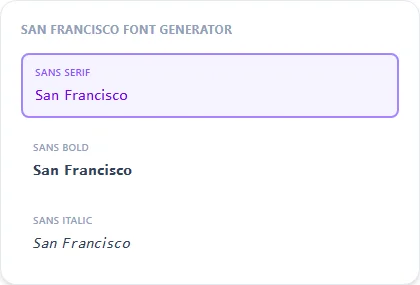
Sans Serif is the plainest option; Sans Bold and Monospace give you a heavier or more technical variant of the same clean look.
Sans Serif18 characters
𝖲𝖺𝗇 𝖥𝗋𝖺𝗇𝖼𝗂𝗌𝖼𝗈 𝖥𝗈𝗇𝗍
Sans Bold18 characters
𝗦𝗮𝗻 𝗙𝗿𝗮𝗻𝗰𝗶𝘀𝗰𝗼 𝗙𝗼𝗻𝘁
Sans Italic18 characters
𝘚𝘢𝘯 𝘍𝘳𝘢𝘯𝘤𝘪𝘴𝘤𝘰 𝘍𝘰𝘯𝘵
Monospace18 characters
𝚂𝚊𝚗 𝙵𝚛𝚊𝚗𝚌𝚒𝚜𝚌𝚘 𝙵𝚘𝚗𝚝
How It Works
Type your text, tap Copy on the style you like, then paste it anywhere — it's plain Unicode text, so it works everywhere. See the full walkthrough with screenshots.
Why the real San Francisco font can't be copy-pasted
San Francisco is Apple's proprietary system typeface, built into iOS and macOS and licensed for use only within Apple's own ecosystem. It isn't part of the Unicode standard and has no character-level equivalent that a text generator could substitute in. What this page offers is Unicode's own clean sans-serif Mathematical Alphanumeric set, which shares the same general minimal, modern feel without being the same typeface.
Sans, Sans Bold, or Monospace
Plain Sans gives the cleanest, most neutral look. Sans Bold adds weight for a headline-style line. Monospace keeps the same clean feel but with fixed-width letters, useful for a more technical or code-adjacent bio.
Frequently Asked Questions
Is this the actual San Francisco font?
+
No, San Francisco is Apple's licensed system font, which can't be reproduced through Unicode text substitution. This is the closest clean sans-serif look available as plain text.
Where does this style work best?
+
Anywhere you want a bio or caption to look clean and modern rather than decorative — it pastes the same as every other style here, no app required.
Does this look different on iPhone vs. Android?
+
The underlying Unicode characters render identically; the only difference is which fallback font each device uses to draw them, which can very slightly change stroke thickness but not the overall shape.
Is this a good match for a minimalist or tech-focused bio?
+
Yes, Sans and Monospace both pair well with that aesthetic, since they avoid decoration entirely and focus on clean, even letterforms.