
Kaomoji — Copy & Paste Japanese Emoticons
Kaomoji are Japanese text emoticons made entirely from keyboard symbols — no images, no special fonts, just characters arranged into an expressive face.
Western emoticons like :-) need a head tilt to make sense. Kaomoji don't. They're designed upright: eyes at the top, mouth in the middle, sometimes arms or animal ears extending to the sides. That's what lets them do things a single emoji can't — a bunny with droopy ears, a cat mid-paw, or a full table-flip.
Click any kaomoji on this page to copy it. Paste it into Discord, Instagram, TikTok, or anywhere else you type — no app or font required.
Popular Kaomoji
Click any face to copy it to your clipboard.
Browse by Mood
Tap any face to copy it instantly.
Happy
Smiling, joyful, and excited expressions
Cute
Adorable kawaii faces
Love
Hearts, romance, and affection
Sad
Upset, disappointed, and melancholy
Crying
Tears and sobbing expressions
Cat
Feline kaomoji faces
Bunny
Bunny and critter expressions
Dog
Puppy and doggo faces
Angry
Mad, frustrated, and fierce
Stars
Sparkle and starry expressions
Wave & Bow
Greetings and gestures
Sleepy
Tired, sleeping, and dreaming
Thumbs Up
Approval and thumbs up expressions
Music
Musical notes and listening faces
Birthday
Celebrating and party expressions
Gothic
Dark and moody aesthetic
Borders
Text dividers and decorative borders
Surprise
Shocked and astonished
Classic
Iconic and beloved expressions
What Is a Kaomoji?
Kaomoji (顔文字) breaks down as 顔 (kao, "face") and 文字 (moji, "character"). The art form took off in Japanese BBS culture in the 1980s, then traveled through IRC chat rooms and eventually landed on every social platform worldwide.
Each one is a sequence of Unicode characters — punctuation, letters, and symbols arranged just so. At the simple end, (^_^). At the elaborate end, (╯°□°)╯︵ ┻━┻ — the table-flip that became its own cultural shorthand.
The upright design is the core difference from Western emoticons. :-) only makes sense sideways. Kaomoji work straight-on: eyes up top, mouth below, same as an actual face.
Since every character is standard Unicode, the same face shows up on every device and app. You're not at the mercy of Apple's or Google's emoji renderer. What you type is what everyone reads.
How to use kaomoji
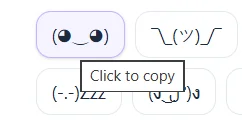
1.Click any kaomoji. Browse by mood or search the grid. Click the face you want — no button, no menu.
2.See the confirmation. A “Copied” badge flashes on the face. It's on your clipboard now.

3.Paste anywhere. Discord, Instagram, TikTok, iMessage. Plain Unicode text works everywhere, no font install needed.
Where to paste kaomoji
On Discord, kaomoji go in usernames, server nicknames, or status messages. The "About Me" section has enough room for the longer ones.
On Instagram, they work in bios (up to 150 characters), captions, and comments. Plain text means they're never compressed or reformatted.
On TikTok, drop one into your bio or a caption to break up the text. They look the same on iOS and Android — which, unlike emoji, is actually guaranteed.
Everywhere else — Reddit, YouTube, WhatsApp, Slack, email — if it accepts text, a kaomoji will paste just fine. Unicode is universal.
Frequently Asked Questions
What is a kaomoji?
+
A kaomoji (顔文字) is a Japanese text emoticon made from Unicode characters — letters, punctuation, symbols — arranged into a face. The key difference from Western emoticons: kaomoji are designed to be read upright, not sideways. Eyes at the top, mouth below, sometimes with arms or ears.
How do I copy a kaomoji?
+
Click it. It copies to your clipboard instantly, and you can paste it anywhere you type — Instagram bios, Discord, TikTok captions, chat apps, wherever.
Do kaomoji work on Discord, Instagram, and TikTok?
+
Yes. They're plain Unicode text, the same encoding every modern app uses. No special font, no browser extension, no compatibility workarounds needed.
What is the difference between kaomoji and emoji?
+
Emoji are images (like 😊) rendered by each platform's emoji set — that's why they look slightly different between iPhone and Android. Kaomoji are just typed characters, like (◕‿◕). The rendering is identical everywhere, because there's nothing to render. It's plain text.
Can I type kaomoji myself?
+
Simple ones, yes — (^_^) is just a few keystrokes. The more elaborate ones use specific Unicode characters that are tedious to enter by hand, so copying is faster.